50% Off with Code VC50 at Checkout
How to Use Procreate Close More Consultations without a client ever stepping foot inside your studio.
(Even if you've never used procreate before)
A step-by-step virtual consultation system for PMU artists to design brows, eyeliner, lips, areola, and tiny tattoos on real client photos—so clients see it, trust it, and book.
Your clients can’t visualize the result—and it’s costing you bookings.
You know your work is good.
But when clients can’t see what you’re explaining, hesitation creeps in.
“I need to think about it.”
“Can I look around?”
“I’m not sure how it’ll look on me.”
Virtual consultations change that—but only if you know exactly how to use Procreate for PMU, not just doodle on an iPad.
Meet the Procreate Virtual Consultation Guide & Workbook
What if you could text your client three different brow options on their actual face BEFORE they even come in?
What if they could see themselves with an arched brow, a straighter brow, and a fluffy brow - and pick their favorite from home?
It’s a PMU-specific system that teaches you exactly how to:
*Design realistic virtual brows on a client’s photo
*Map, shade, adjust, and refine with intention
*Explain your design with confidence
*Practice digitally instead of wasting paper and time
▶

THE PROBLEM
You're losing bookings - but not because you're not skilled enough.
You've invested in training. You've perfected your technique. You genuinely care about giving clients beautiful, natural-looking brows
But consultations are where you're losing them:
You spend 45+ minutes sketching, explaining, and trying to help them "see" the result
They nod along but you can tell they're not confident about what they're getting
They leave saying "let me think about it" - and never follow up
Sound familiar?
Meanwhile, other artists (who aren't even better than you) are booking clients left and right
The difference?
They have a way to SHOW clients the result. You're still asking clients to imagine it.
And in 2026, clients don't want to imagine - they want to SEE.
That's where this system comes in.
Why PMU Artists Are Switching to Virtual Consultations in 2026
Because clients have changed.
They don't want to drive 30 minutes for a consultation where you draw on them with a pencil and ask them to "imagine" the result. They want to see options from home, compare them with their partner, and make a confident decision.
Virtual consultations give you:
✅ Time savings - 20 minutes on your iPad vs. 60+ minutes in-person
✅ Geographic expansion - Consult with clients 2 hours away who'll happily drive in once they've seen their mockups
✅Higher close rates - Clients who've seen their mockups book at 3x the rate of traditional consults
✅ Reduced no-shows - Clients who've already approved their design are invested and excited
✅ Premium positioning - You're the tech-forward artist using modern tools, not outdated methods
This isn't just a "cool tool." It's the difference between being the artist clients "think about" and the artist they immediately book with.
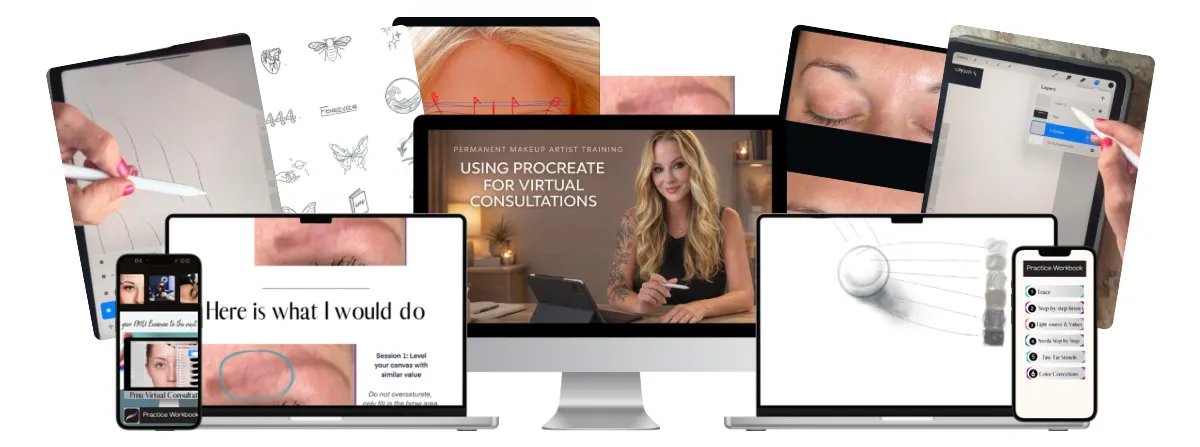
THE SOLUTION: Virtual Consultations That Close
Stop trying to explain what their brows will look like. Show them.
With the Procreate Virtual Consultation Workshop you can take any client photo and create three different brow options in under 30 minutes. They see themselves with each style. They compare. They choose their favorite. They book.
Heres how it works:
Client sends you a photo (or you take one during a virtual call)
You create 3 brow options using the custom templates and brushes I give you
You send them the mockups - they see their face with different brow shapes and styles
They pick their favorite and book - no more "let me think about it"
The entire process takes 20-30 minutes once you've learned the system (which takes about 90 minutes to complete).
This are no more hour-long in-person consultations where clients leave uncertain. No more sketching on paper and hoping they can "picture it." No more losing bookings to artists who just happen to be better at selling.
You become the artist who SHOWS instead of TELLS - and clients will pay premium prices for that confidence.
Is This Workshop Right For You?
This is for you if:
You're tired of hearing "let me think about it" and watching clients ghost youo
You want to stand out in your market as the modern, professional artist who uses current technology
You're ready to invest 90 minutes learning a skill that will pay you back on your very next consultation
You don't have an iPad or aren't willing to get one (required for Procreate)
You're expecting instant results without practicing the technique first
You're happy with your current consultation close rate and don't want to change your process
Bottom line: If you're losing bookings because clients can't visualize the final result, this solves that problem immediately. If you're already closing 90%+ of your consultations with your current method, you probably don't need this.
Procreate Virtual Consultation Workshop
IMAGINE THIS:
A potential client reaches out. Instead of just booking them for an in-person consultation, you send them a link to schedule a virtual preview session.
You take their photo (they can even text it to you), and within 20 minutes, you've created 3 different brow options for them to review.
They see themselves with each option. They can compare. They can visualize the transformation.
They choose their favorite, put down their deposit, and show up to their appointment excited and confident - because they already know exactly what they're getting.
That's the power of professional virtual consultations.
See what You'll Create
Here's what a virtual consultation looks like in action:
What You'll Need to Get Started
iPad - Any model from 2018 or newer (iPad Pro, iPad Air, or standard iPad all work perfectly)
Apple Pencil - 1st generation or 2nd generation
Procreate App - $12.99 one-time purchase from the App Store (not included in course price)
Experience Level
Zero Procreate experience required - I teach you from absolute beginner level
If you can use your phone, you can use Procreate
Step-by-step video tutorials show you exactly where to click and what to do
Time Investment:
Watch the full training: 90 minutes
Complete your first practice design: 30-45 minutes
Create client-ready virtual consultations: 20-30 minutes each (once you've practiced)
Already have an iPad and Apple Pencil? Perfect - you're ready to start today. Don't have them yet? You can find refurbished iPads starting around $250 and Apple Pencils around $70. This is a one-time investment that will pay for itself after just 2-3 closed consultations.
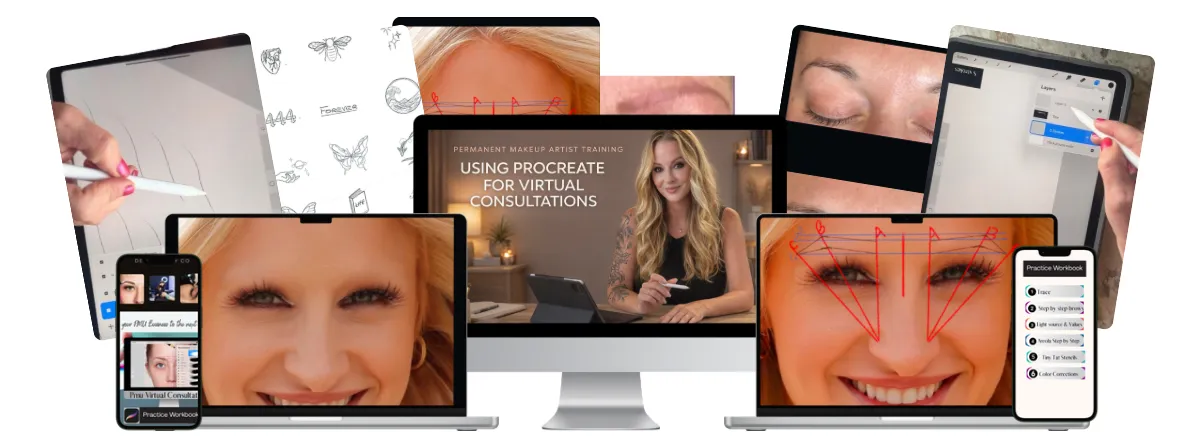
Whats Included
The 6-Module Training
Complete Video Training (90 minutes)
Practice Workbook (Procreate file) 10 pre-loaded practice face templates so you can master the technique before working with real client photos. Practice hairstrokes, shaping, and symmetry until you're confident.
Client Photo Templates (3 Procreate files) Ready-to-use templates where you simply drop in your client's photo and start designing. No setup required - just import, design, and send.
Procreate Color Swatches
Includes pre-loaded color swatches from 3 top PMU pigment lines so you’re not guessing tones.
PLUS: Additional Add Ons
My Exact Brush Set That I use in my virtual consultations, designed specifically for realistic PMU brow work. These brushes force you to slow down and create natural-looking hairstrokes - the same technique that translates directly to real skin.
My Exact Stamp Set a quicker way to design a complete brow in minutes.
$197 only $97 today -you're saving $100

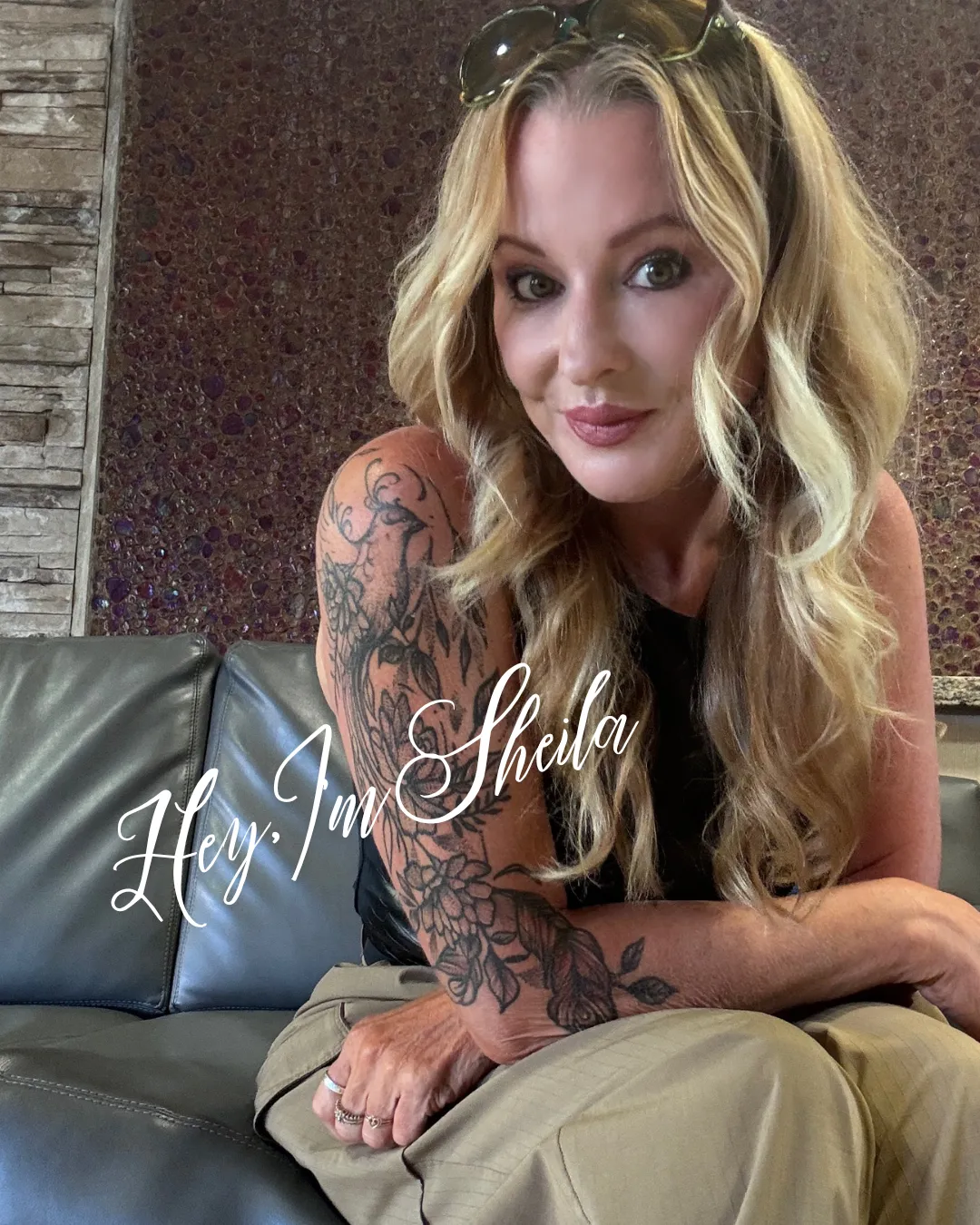
Hey, my name's Sheila, and I have been in the beauty industry for 31 years...
When I first got into permanent makeup everything was so hard! I bet you can feel that statement, right. Brow mapping was hard, my hand was so fast compared to my machine that I didn't have good color implantation. I was a mess!
Then I discovered an IPAD app called procreate, and it totally changed the game for me.
I found a way to use it to help me practice my technique and use it to create virtual consultations for people. Yep, I could create brows for them, from a snap they send me and give them a real life visual of what their brow can look like! It was a game changer for my business.
So, I packaged it up into this course and brought it to you! I also created some awesome brushes that force you to slow down and etch hairstrokes. No more bad retention when I am in real skin, because the repetitive practice with these brushes on procreate, gave me the muscle memory to do it on real skin!
It really helped me make more money and set myself above others in my area. No one else can show someone a real version of their brows like I can, and now you can too!!!
"This Virtual consultation program is genius."

"This virtual consultation system is genius. While other artists are still sketching on paper and hoping clients can 'picture it,' I'm sending them actual mockups of their finished brows. My clients show up to appointments already excited because they've SEEN what they're getting. Game changer."
Sarah M.
Microblader
"Finally - a way to practice that doesn't require real skin or expensive supplies"
"I used to have to set up my whole studio just to practice techniques. Now I grab my iPad and practice anywhere - on the couch, during lunch, even on vacation. The custom brushes force you to work slowly just like real PMU work. When I got back to real skin, my retention improved immediately because I'd built the right muscle memory."
Ashley K.
PMU Artist
"I close every single consultation now. Every. Single. One."
"I went from barely booking anyone to closing 100% of my consults. Why? Because there's no guesswork anymore. They see three different brow options on their actual face, pick their favorite, and we're done. They leave deposits on the spot because they're not going home to 'think about it' - they already know exactly what they want."
- Maria R.
PMU Artist /Studio Owner
"My clients are OBSESSED with this process"
"Instead of making clients take time out of their day to come in for a consultation where I draw on them with a pencil, I send them three professional mockups before they ever step foot in my studio. They send screenshots to their friends. They post them on Instagram. It's become a marketing tool AND a sales tool. Best $97 I've ever spent."
- Jennifer T.
Brow Artist
YES I WANT TO GET STARTED!
ACCESS to Procreate Virtual Consultation Workshop for PMU Artists TODAY FOR ONLY $97
4.9 / 5 based on 150+ beauty entrepreneurs

Frequently Asked Questions
Q: Do I need to know how to use Procreate already?
A: Nope! The training assumes you're a complete beginner. I walk you through every single step - where to click, which tools to use, how to set everything up. If you can use your phone, you can do this.
Q: How long does it take to create my first virtual consultation?
A: Your first one will take 45-60 minutes as you're learning. By your third or fourth, you'll be down to 20-30 minutes. After that, it becomes second nature.
Q: What if I don't have an iPad?
A: You'll need one - Procreate only works on iPad. The good news is you don't need the newest model. Any iPad from 2018 or later works perfectly. You can find refurbished ones starting around $250, and this investment pays for itself after just 2-3 closed consultations.
Q: What if my client doesn't like any of the three options I create?
A: That rarely happens (because you'll learn how to read face shapes and recommend appropriate styles), but if it does, you just create 2-3 more options. Takes another 15-20 minutes. Still faster than an hour-long in-person consult that ends with "I need to think about it."
Q: Is this a one-time payment or a subscription?
A: One-time payment of $97. No monthly fees, no upsells, lifetime access to all materials.
Q: What if I'm not tech-savvy?
A: This is designed for people who aren't tech-savvy. I show you every single click. If you can take a photo with your phone and send a text message, you can do this.

Backed by my 14-Day Money-Back Guaranteee
I'm so confident in this system that I'm offering you a 14-day money-back guarantee.
If you go through the program and don't feel confident that The Procreate Virtual Consultation guide has helped you, just drop me an email within 14 days to [email protected] for a full refund.
Ready to Stop Losing Bookings?
Every day you wait is another consultation that ends with "let me think about it."
Another client who books with the artist down the street who showed them exactly what they were getting.
Another $400-$800 you didn't earn because you couldn't help them visualize the result.
This system fixes that - starting today.
* Complete video training (90 minutes)
* Practice workbook with 10 face templates
* Client photo templates
* Quick start guide
* Bonus consultation script
One-time payment. Lifetime access. 14-day money-back guarantee.
Your Investment: $197
Terms Of Use | Privacy Policy | Earnings Disclaimer
All rights reserved Company Name™